

How to Connect ServiceTitan to Your CRM, Without API Access
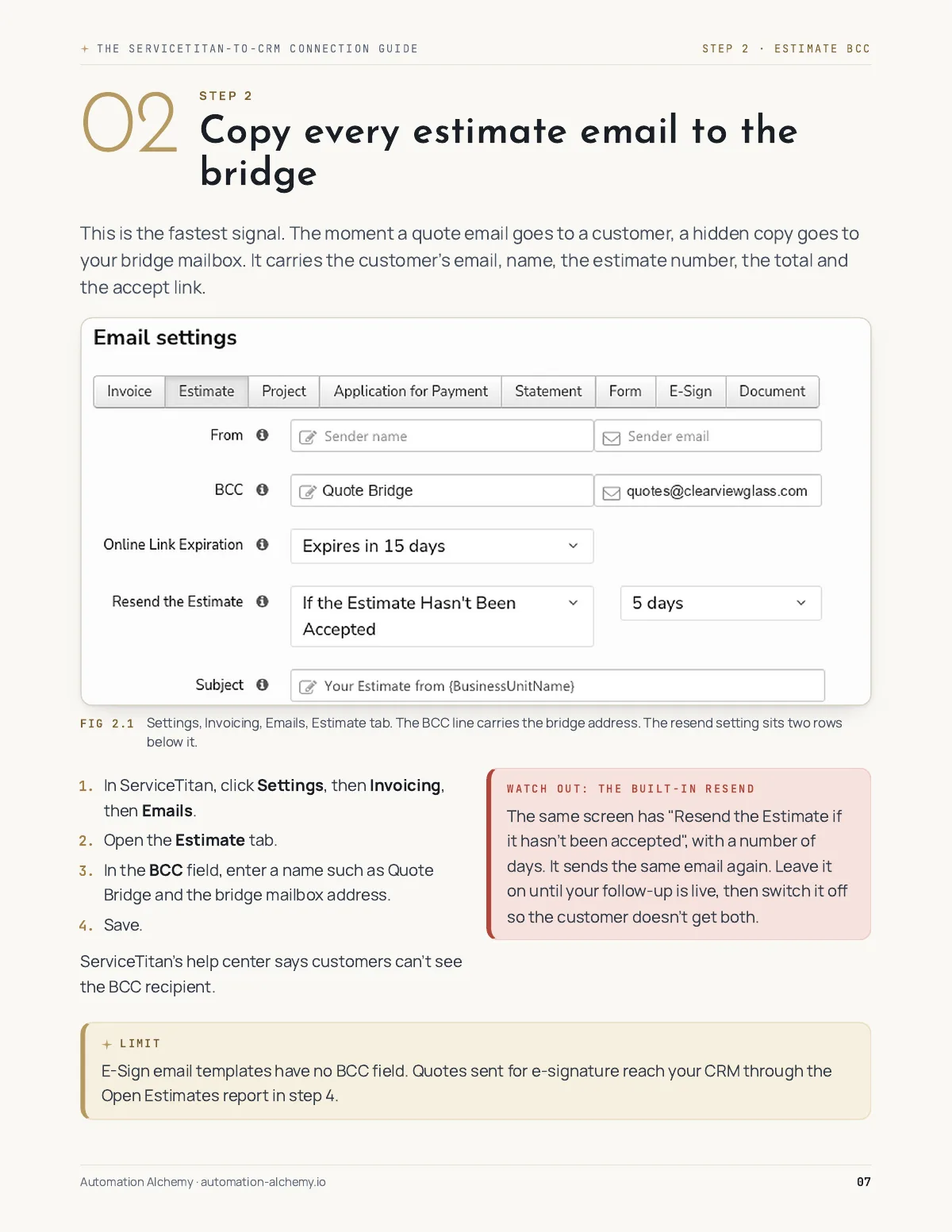
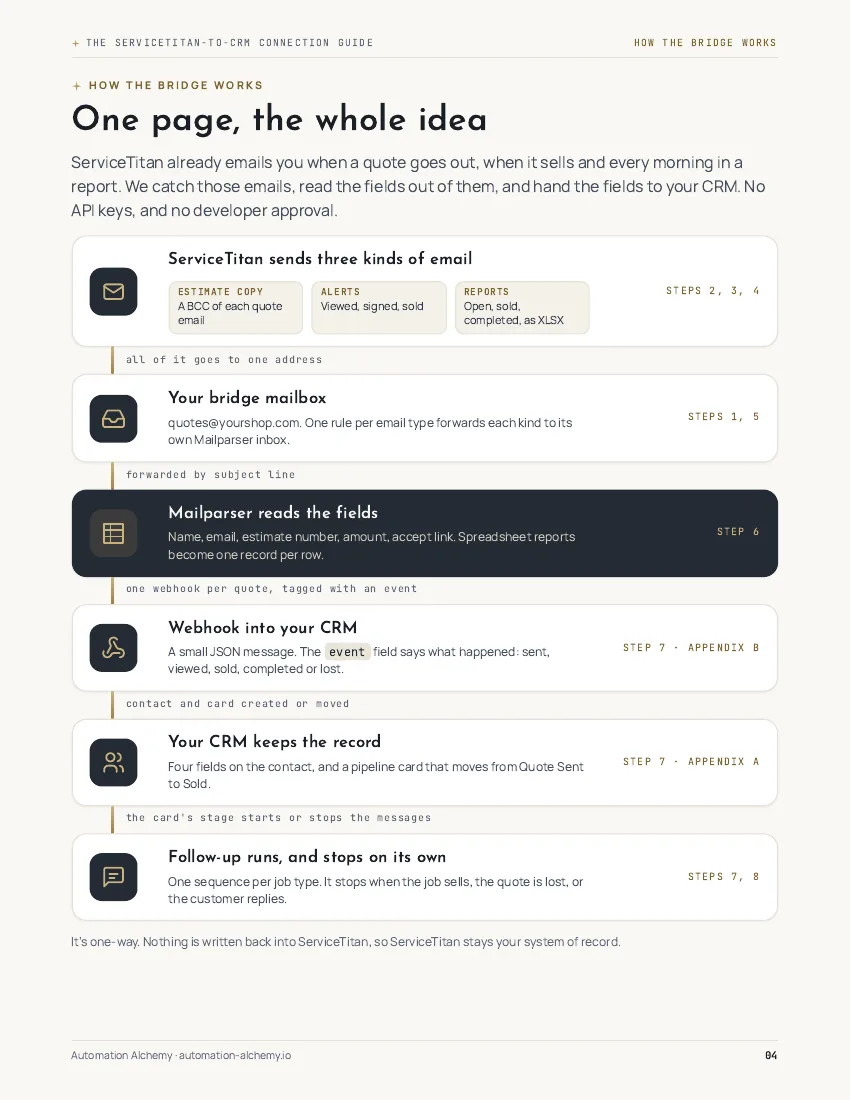
ServiceTitan already emails you every quote, alert and report. The ServiceTitan-to-CRM Connection Guide shows you, step by step with real settings screenshots, how to send those emails into your CRM so follow-up starts by itself.
Following up on every quote only works if it happens every day, and on a busy week nobody remembers.
You don't need a developer app, an API key or ServiceTitan's approval. You do need a parser account, about $30 a month, and a CRM that can take a webhook. Some CRMs also need Zapier or Make in between.
What you get
- Every ServiceTitan setting it needs, step by step: the estimate email copy, the alerts and the scheduled reports.
- The parser setup that turns every row of a report into its own contact.
- A full walkthrough for GoHighLevel, plus the route for HubSpot and 8 other CRMs.
- Copy-paste field maps and parsing rules.
- A test checklist, so nothing reaches a real customer until you’ve checked it.
- The limits, stated plainly, so nothing surprises you.
Full GoHighLevel walkthrough. Routes for HubSpot, Keap, Salesforce, Zoho CRM, Pipedrive, ActiveCampaign and monday CRM, plus the field-service tools Jobber and Housecall Pro.
What's inside
- How the bridge works, on one page
- Step 1. Set up the bridge mailbox
- Step 2. Copy every estimate email to the bridge
- Step 3. Turn on the alerts
- Step 4. Schedule the reports
- Step 5. Route the emails to the parser
- Step 6. Set up the parser
- Step 7. Connect your CRM: GoHighLevel, HubSpot and 8 more
- Step 8. Test, then go live
- Appendixes: field map, webhook data, parser rules, test checklist
30-day guarantee. If the guide doesn't help you, email me within 30 days and I'll refund you.
Secure checkout by Stripe. The parser has its own monthly fee; the guide shows the plan to pick.
Rather have it built and watched for you? Book a quick call.